Data Security for AI Dashboard Overview
The Data Security for AI Dashboard Overview provides centralized visibility into how generative AI applications are being used across the organization, with a focus on data exposure risk, policy compliance and governance posture.
The Overview tab provides a high-level view of AI-related data risks across your organization. It highlights key exposure areas and helps you quickly identify where sensitive data may be overexposed.
As described in How to Manage AI Risk Across Your Organization, you can use the 3 widgets to manage AI-related data risks across your organization.
To access the Overview, from Data Security for AI app, select Dashboard.
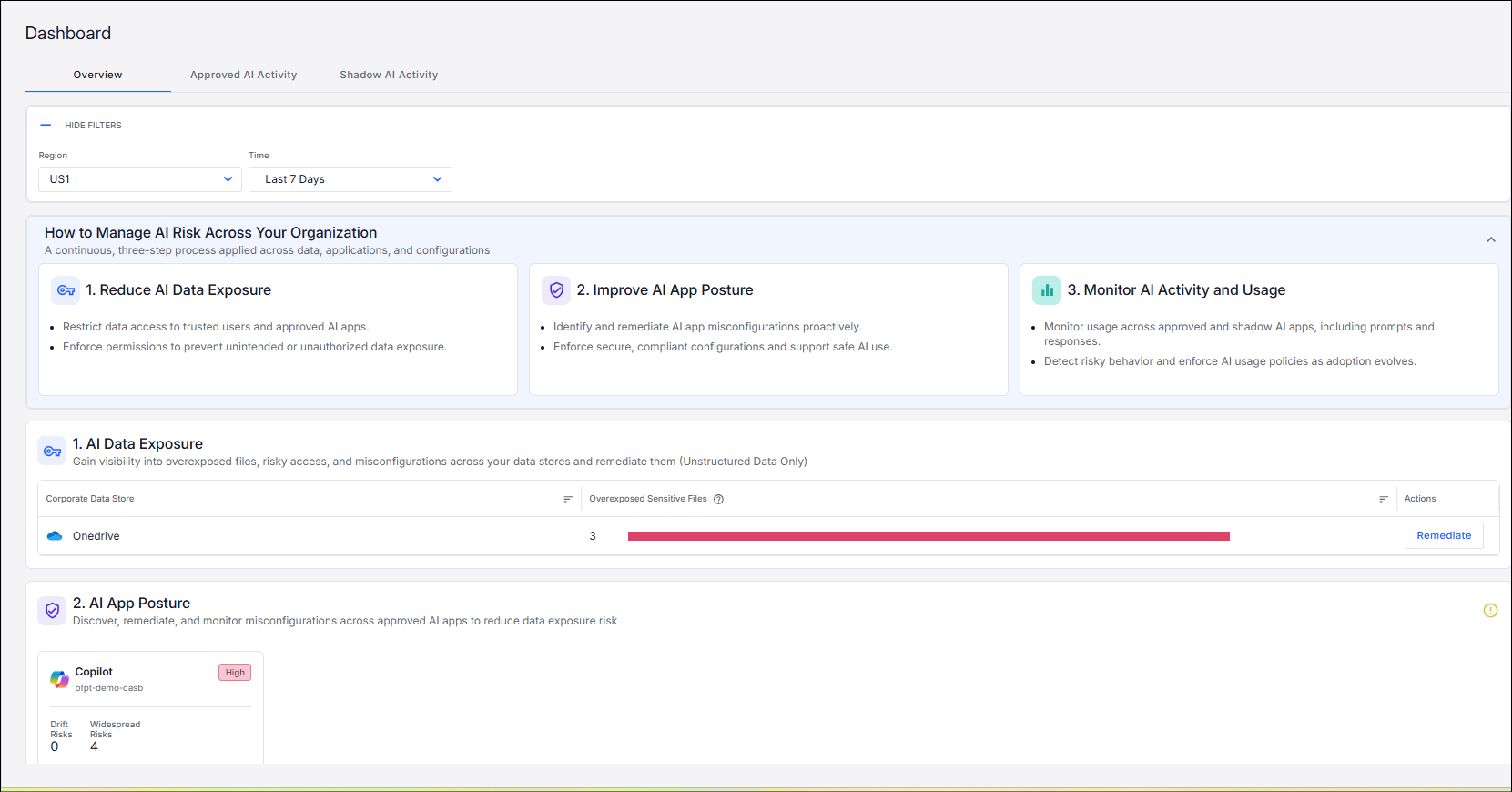
The following widgets are included:
-
How to Manage AI Risk Across Your Organization: Provides guidance and information.
-
AI Data Exposure: Highlights corporate data stores with the highest number of overexposed sensitive files.
-
AI App Posture: Provides visibility into the organization’s use of AI applications
-
AI Activity and Usage: Provides a consolidated view of how AI applications are being used across the organization.
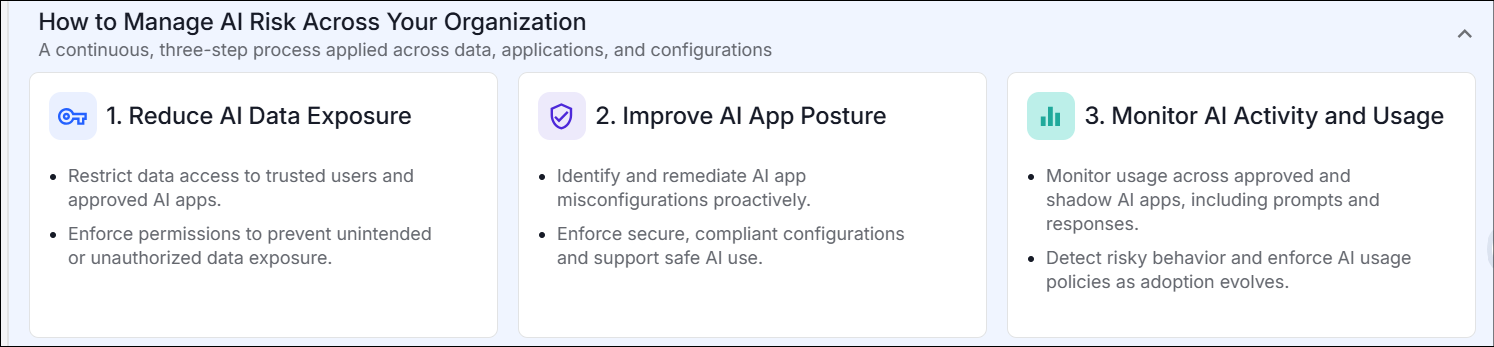
How to Manage AI Risk Across Your Organization
The How to Manage AI Risk Across Your Organization widget is an informational widget that provides guidance. The content is informational and does not include links. The widget can be collapsed or expanded as needed.
AI Data Exposure
The AI Data Exposure widget highlights corporate data stores with the highest number of overexposed sensitive files.

The AI Data Exposure widgets shows up to five corporate data stores. The data is ordered by the number of overexposed sensitive files.
You can click Remediate and select an action.
Clicking a corporate data store opens the Data Catalog, filtered to display all files associated with the selected entity or application.
This enables you to:
-
Investigate where sensitive data is exposed
-
Identify affected files
-
Take appropriate remediation actions
AI App Posture
The AI App Posture widget provides visibility into the organization’s use of AI applications, helping security teams understand and manage the risk associated with both sanctioned and unsanctioned AI tools.
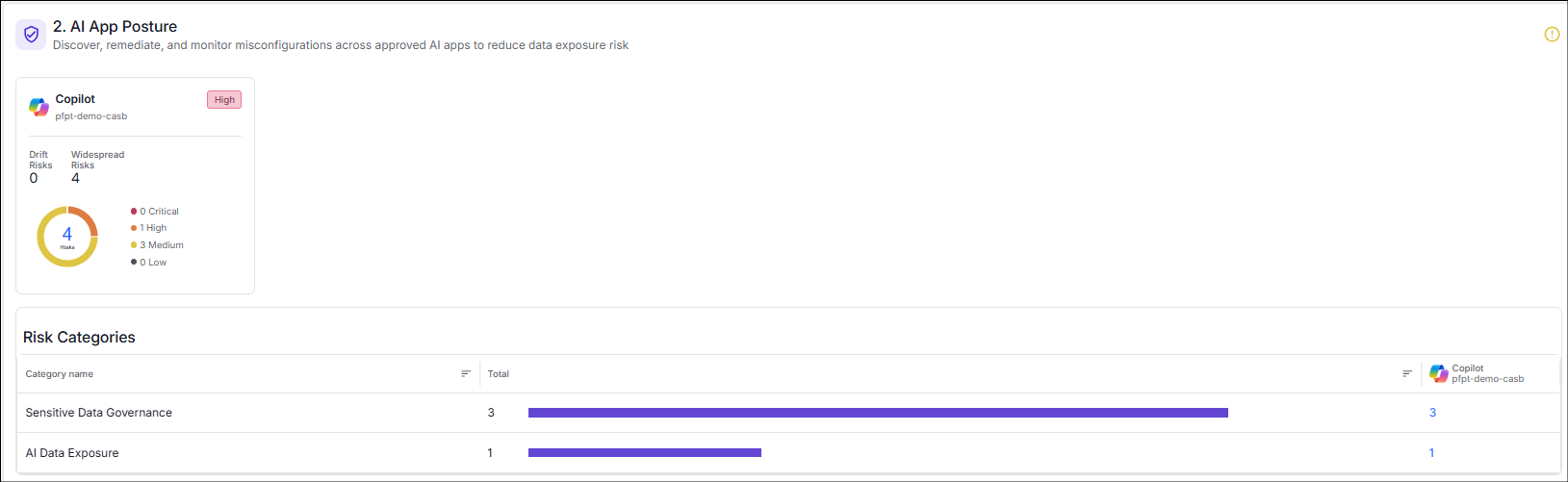
It evaluates AI applications based on their governance status, data access patterns, and potential exposure risks. The widget enables organizations to monitor AI adoption, identify high-risk applications, and enforce appropriate security controls.
AI Activity and Usage
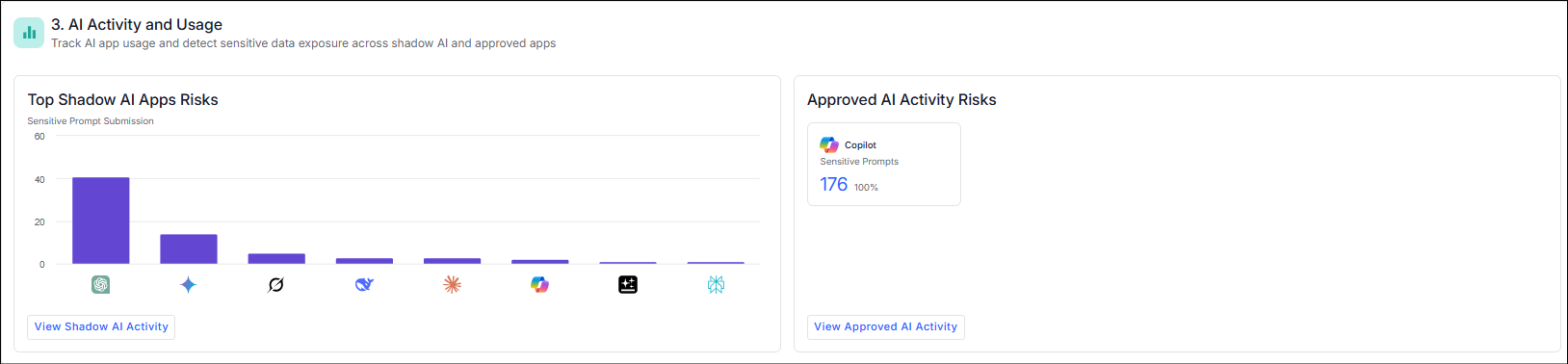
The AI Activity and Usage widget provides a consolidated view of how AI applications are being used across the organization, highlighting both shadow (unsanctioned) and approved AI apps along with their associated risk levels.
The widget shows the top AI applications by risk and activity, enabling security teams to quickly identify where sensitive data may be exposed, how frequently AI tools are being used, and which applications require further investigation or control.
For shadow AI apps, the widget emphasizes unsanctioned usage and potential data exposure risks, helping teams uncover hidden AI activity and enforce governance. For approved AI apps, it provides visibility into usage patterns and associated risks to ensure compliant and secure adoption.
From the widget, you can:
-
Select a risk bar and drills down into a filtered view of related activities
-
Click an application, such as CoPilot and navigate to a detailed, app-specific view
Related Topics: