Data Security for AI | Activities
Activities helps you understand where the data comes from.
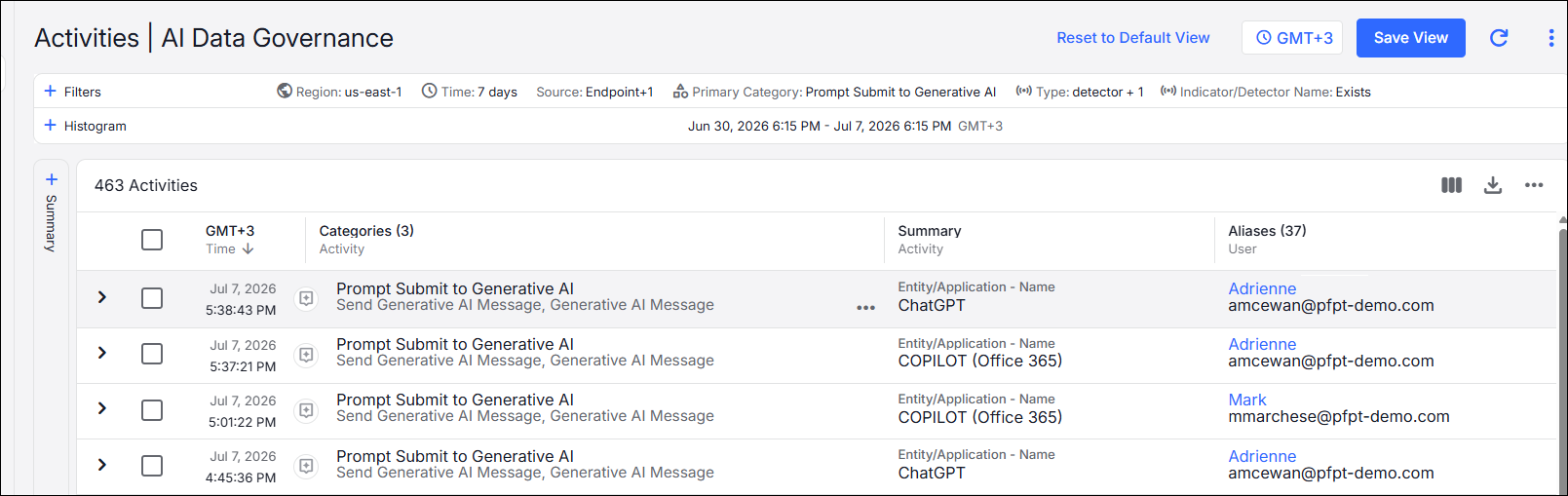
By clicking on an activity, you can see the details.
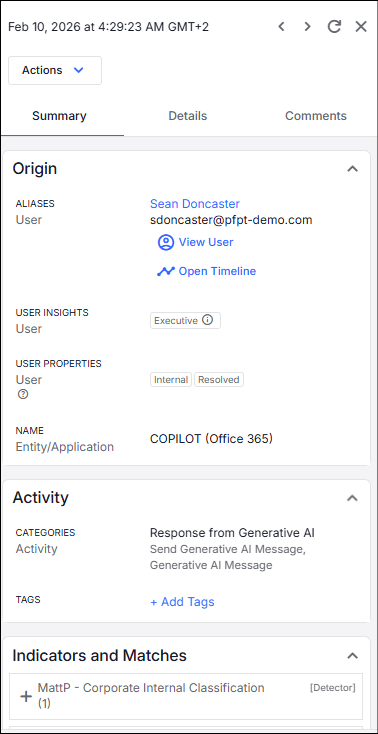
Details include:
-
Origin: Who performed the activity.
-
Activity: The activity that was performed.
-
Indicators and Matches: The data classification associated with the activity.
View Full Prompt and Response Content for Approved AI Apps
You can view the full prompt and response content for activity from approved (sanctioned) Generative AI applications directly within the Activity Details. This provides complete context for user interactions with AI tools, allowing you to go beyond partial snippets and better understand the full exchange. This enhancement provides visibility into complete AI conversation sessions, including associated DLP matches, while maintaining existing detection logic and governance controls.
Access is available to Administrators and to users explicitly granted the Data Security For Ai Access - Auth External CASB Authz Ai Prompt Content View Access capability. This allows organizations to extend visibility to dedicated analysts without requiring full administrative access, while still protecting sensitive communications from general user access.
This feature enables you to access the full prompt submitted by the user, as well as the complete AI-generated response. In addition, DLP indicators and matches are displayed alongside the full content, helping you perform more accurate and efficient investigations.
To access this information,
-
Go to Activity Details for a GenAI event
-
In the chat widget, click Show full prompt (if available)
A side panel opens with the full details.
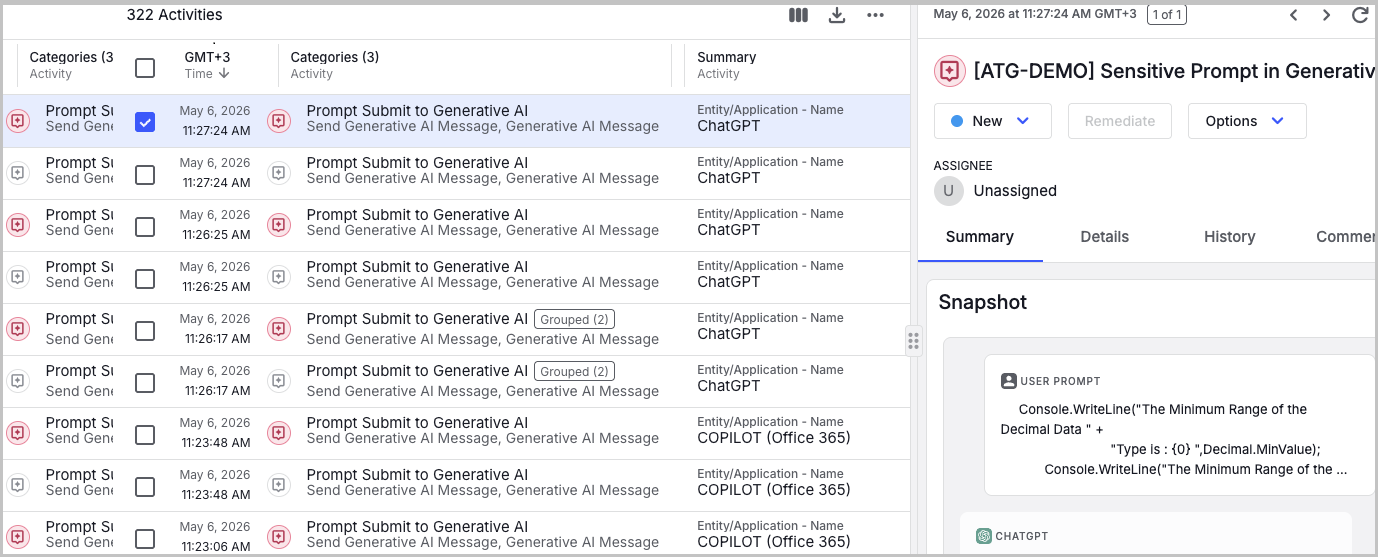
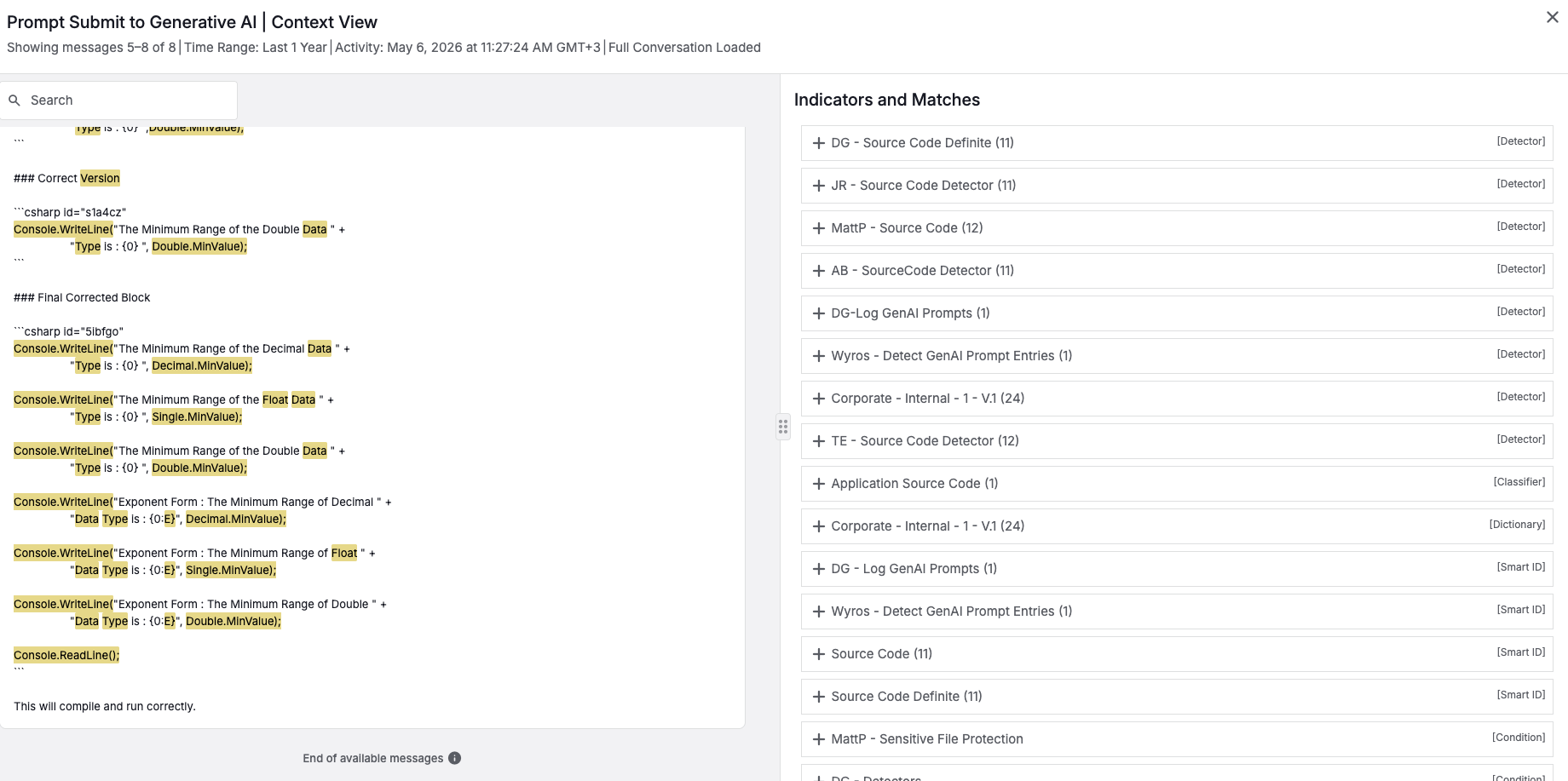
The side panel presents the user’s input (prompt), the AI-generated output (response), and any relevant indicators and matches. , Only the initial portion is displayed by default. For longer content, you click Load more to progressively view additional content.
Related Topics:
Data Security for AI | Overview
Data Security for AI | Approved AI Posture