To view the new Data Store pages, click your profile icon. In the New UI section, turn on the Data Stores toggle.
The Domains tab is available for SaaS data stores. This tab shows details for all the domains discovered for the data store.
To view the Domains tab:
- Select Inventory > Data Stores.
- Select the Data Stores tab.
- Select a data store. The Overview tab opens.
- Select the Domains tab.
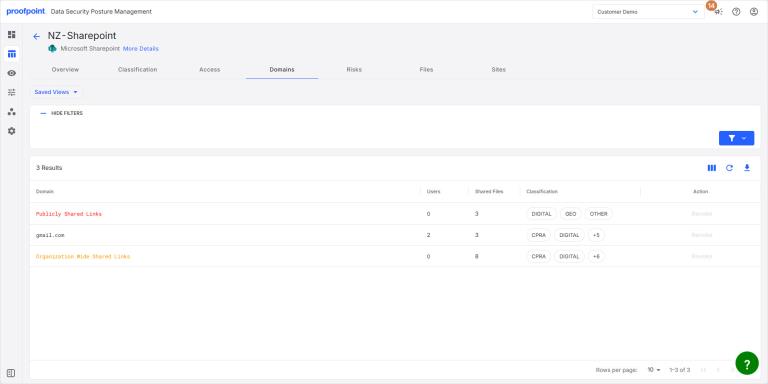
The tab lists the following information for each domain:
- Domain Domain name discovered from the data store.
- Users Number of users for the domain name.
- Shared Files Number of shared files for the domain.
- Data Classification Classification tags attached to the domain, based on the files linked to the domain.
- Action If the Revoke permissions are granted to DSPM application, then you can revoke user access to the files associated with the domain (see (beta) M365 Revoke Access for Files).