This beta release is available for select customers.
DSPM platform supports Revoking Access to files that are stored on OneDrive or are part of Sharepoint sites, based on access / permissions review.
DSPM enables Security Operations team to Revoke Access to files under OneDrive or Sharepoint sites respectively for users based on review of data scan outcome which are classification details, exposure and distribution realm.
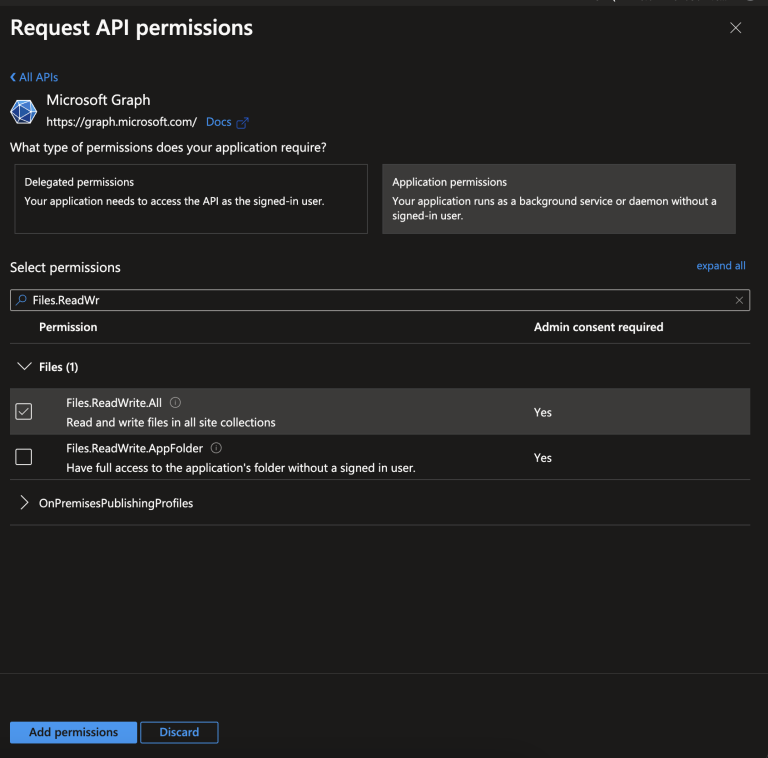
For this capability the following MS-Graph API Permissions needs to be granted:
- Files.ReadWrite.All - Allows the app to read, create, update and delete all files in all site collections without a signed in user.
The ability to revoke access to files is under Access Details - Domains for both OneDrive and Sharepoint data stores.
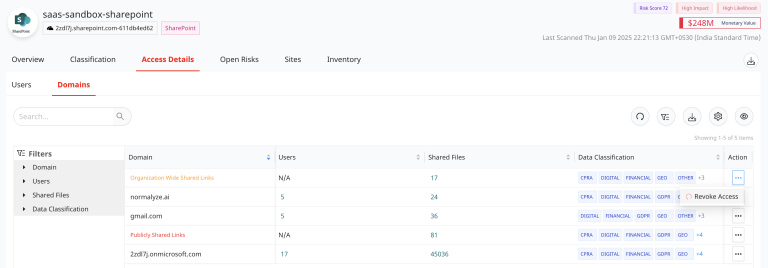
The grouping of the files are done based on the Domains discovered on OneDrive or Sharepoint application during the scanning operation.
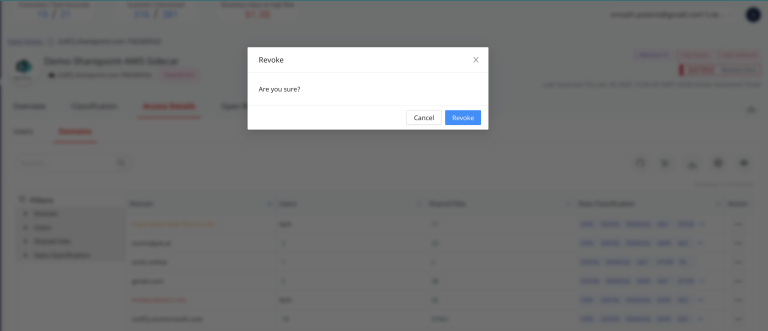
On selecting “Revoke Access” a confirmation pop-up is displayed. Selecting “Revoke” would remove the access for all the files listed under Shared Files column for the users in the respective domain.