User Catalog IDs and Cross-Identifier Activity Tracking
Users in the Users Catalog can be associated with multiple identifiers from different data sources. For example, a single user may have several email addresses, usernames, or aliases, each originating from a different system or telemetry source.
As a result, a User Catalog entry (user's Catalog ID) can map to multiple aliases, email addresses, and other identifiers. These mappings depend on how each source reports the user in its events.
When filtering events by a specific identifier (e.g., a particular email or alias), the system returns only the events that were explicitly correlated with that identifier from its originating source. For example, filtering by alias returns only events linked to that exact alias value.
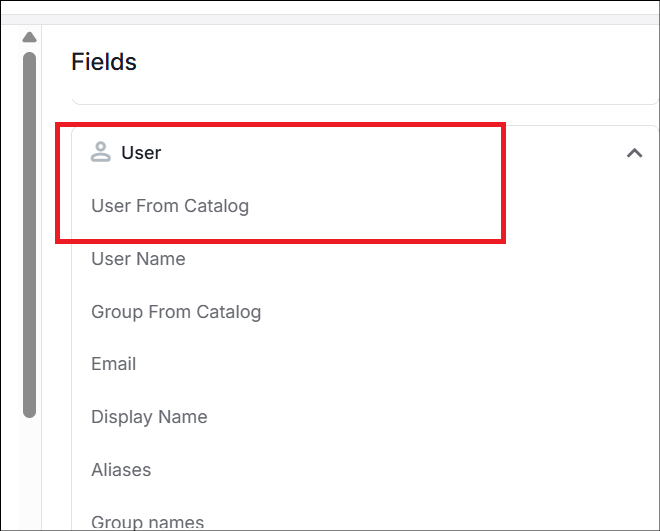
To retrieve the full set of activity for a user across all sources and identifiers, filtering should be performed using the highest-level identifier, the User Catalog ID. To do this, select User From Catalog from the User field.
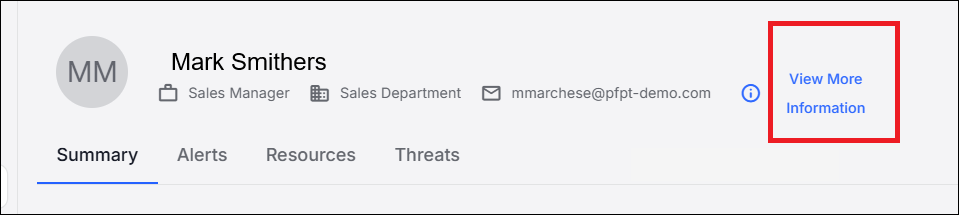
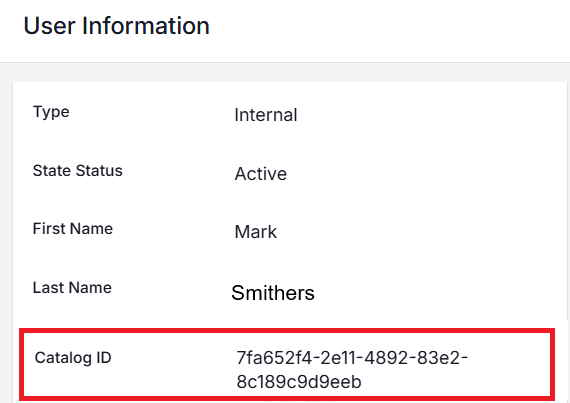
The Catalog ID can be found in the details of User Information by clicking View More Information.
macOS Behavior
For macOS users, this behavior can be more complex. Unlike Windows systems, which natively support transparent authentication to enterprise resources, macOS relies on SSO extensions for integration with enterprise identity services. Depending on the SSO session or certificate state, the same user may be identified at different times as either an enterprise user or a local user. As a result, activity from macOS may be associated with multiple User Catalog IDs.
Because of this, filtering the full activity set of macOS users requires filtering across all user Catalog IDs associated with that user.
Related Topics:
Prevention Rules Filters and Fields
Agent Integration with Users (Identity) Catalog Configuration