Endpoint Rules - Retain File
Retain File policy is an Endpoint Rule. (See Endpoint Rules.)
Some features are available on request only. To enable, contact your Proofpoint representative.
Retain File action allows you to enable file retention for supported activities and save a copy of the file to a remote storage.
Files retention is applied on the activity.
Supported activities are: Web File Upload, Web File Sync, Copy to USB, Copy to Network Drive, Web File Download, File Copy, File Move and File Rename.
In addition, Print is supported from Windows Agent version 5.1.0.
Retention for Print activity is applied to the printed content, saved in PDF format, rather than to the original file. This ensures the context of the retained action is preserved.
When creating an Endpoint Rule with the Retain File action, you must define at least one of the supported file activities in the Categories field.
The Retain File action uses the same underlying mechanism as file retention in Prevention Rules, relying on existing configurations in the Administration app.
The current file retention capabilities via Prevention Rules for exfiltration activities will remain available.
If multiple rules (Endpoint and/or Prevention) apply file retention to the same activity, the retention mechanism will be triggered only once.
Adding a Retain File Rule
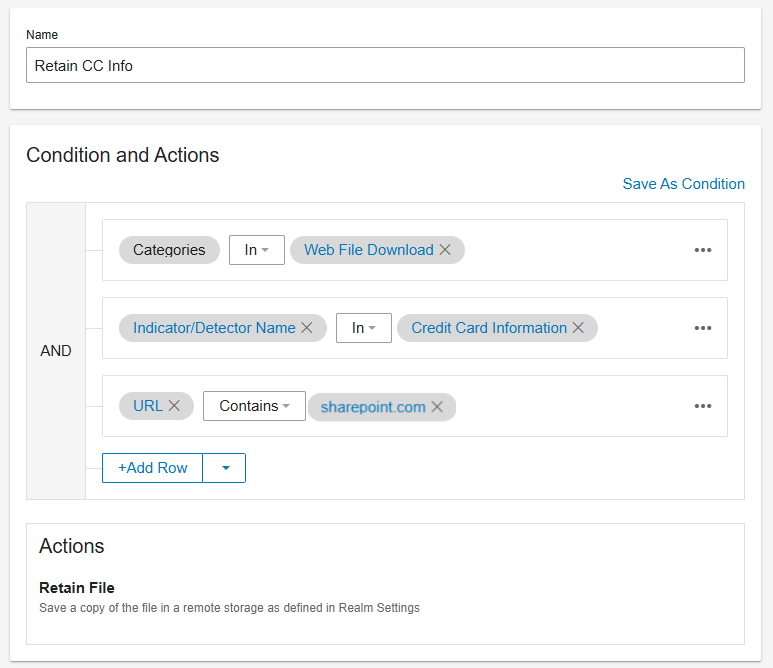
In this example, an endpoint rule is configured to retain files containing credit card information that are downloaded from SharePoint."
-
From Proofpoint Data Security, select the Administration app. Select Endpoints > Prevention/Endpoint Rules.
-
From the Prevention/Endpoint Rules view, click New Rule.
-
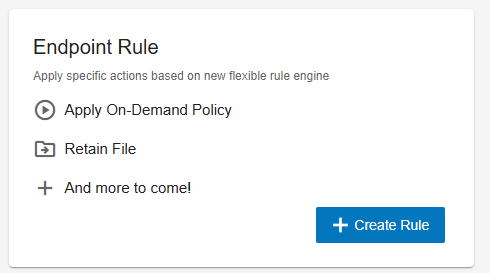
From Select Action to Perform, in the Endpoint Rules area, click Create Rule.
-
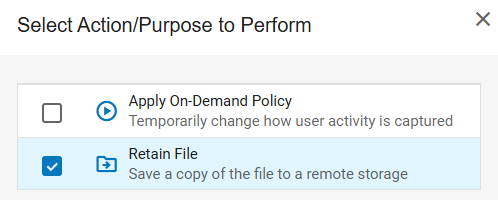
Select Retain File from Select Action/Purpose to Perform.
New Rule area displays.
-
In the Name field provide the name you want.
-
In Conditions and Actions area, set up your rule. In this example,:
-
Web File Download is selected from the list of supported categories.
-
The Actions selected are Indicator/Detector is Credit Card Information and SharePoint URL.
-
Related Topics: