Benchmarking evaluation
On the Details tab, each of the Compliance Standards which are used for benchmarking evaluation are listed for each account onboarded to DSPM.
Overall Pass or Fail numbers are displayed in each row. The total number of accounts (Pass + Fail) displayed next to Accounts is the same as the number of total connected accounts.
This section is further categorized into three sub-sections:
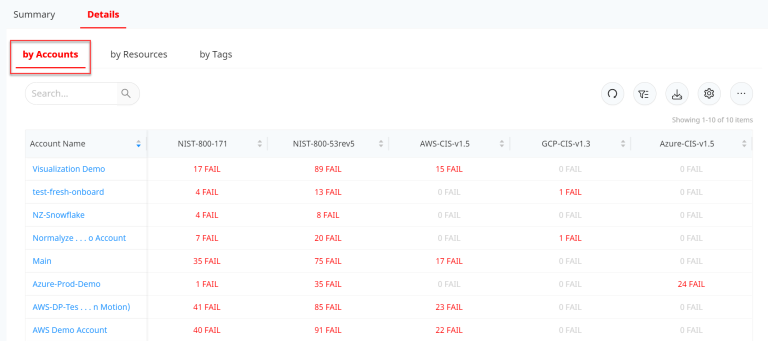
By Accounts
The Compliance control pass / fail details are displayed here on a per account basis. Each of the accounts are mapped against the Compliance Standards with the number of compliance failures.
Under the field options (select the gear icon to view the full list) the Overall Fail Status can also be shown for each account.
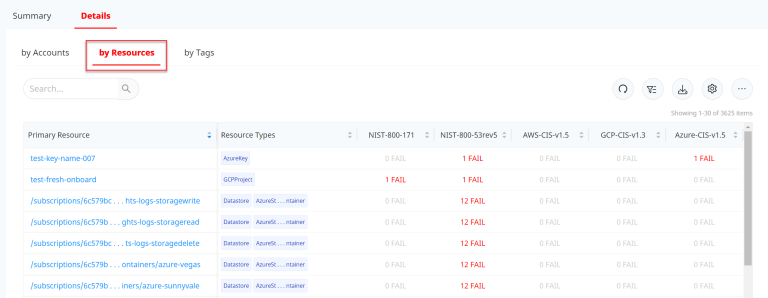
By Resources
The compliance control pass / fail details are displayed here on a per Resource basis. Each of the Resources are listed with their Type and the Compliance Standards along with the number of compliance failures per standard.
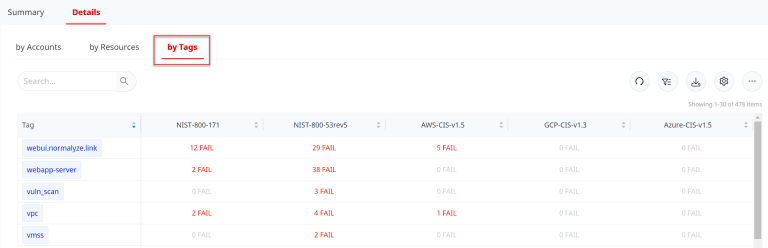
By Tags
On the third tab, the compliance control pass / fail details are displayed by Tags. Every Tag value is shown with the Compliance Standards and the count of compliance failures.
To drill-down deeper for the failures and the controls where the compliance postures are failing, select the "number" hyperlink under any of the compliance framework name columns which will load the Compliance Checklist section.
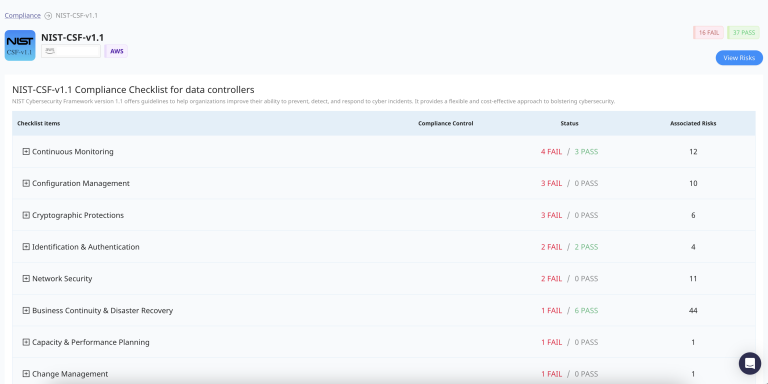
This section holds all the controls that are part of the Compliance framework and counts of all the ones which are passing under each of the sections along with the specific details for the same. Expanding each of the specific controls displays the details and along with the count of the Risks that are discovered against each one of them.
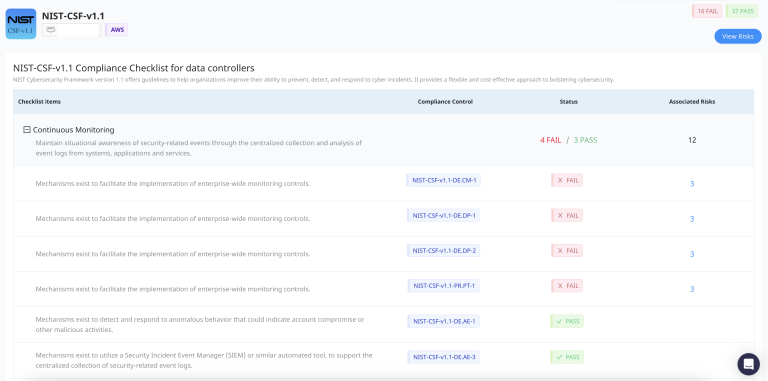
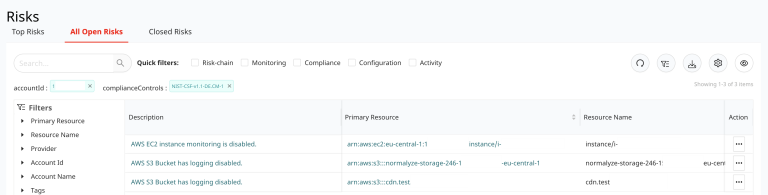
Selecting the number hyperlink under the Associated Risks column would take the user to the Risks which shows the list of Resources that are failing for the specific Compliance Control for the specific account.