Where do you need more protection?
To view the new Dashboard, click your profile icon. In the New UI section, turn on the Dashboards toggle.
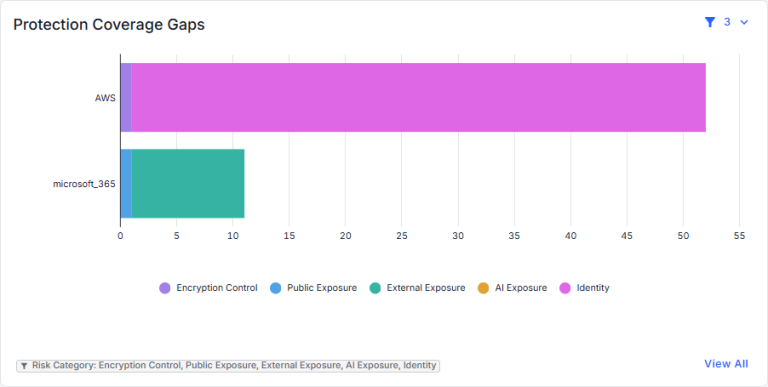
View vulnerable areas where your data may be exposed. Risk categories related to data exposure are shown by provider. You can:
- Use the filters in the top-right corner to select the data classes, data store type, and risk categories to show in the chart. The currently applied filters are shown below the chart.
- Hover over a bar to view the risk count, by risk category, for the provider.
- Click a section of a bar to view the risks in that risk category (on the Open Risks page).
- Click View All to view details for risks in all risk categories and all providers (on the Open Risks page).