Who can access sensitive data in your cloud?
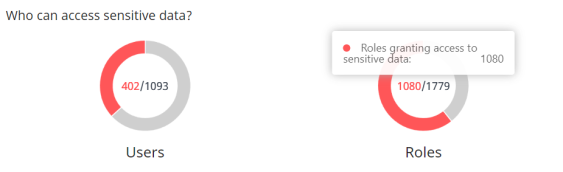
In the middle of the graph on the left, you see the count of risky users (those who can access sensitive data) vs. the total number of users.
Mouse over the graph to see the count of each type of user.
The right-side graph shows the number of roles granting access to sensitive data vs. the count of roles that do not.
By default the counts displayed are from all the accounts that are onboarded and connected for the selected team. To narrow down to a specific account, select one from the dropdown list above the dashboard.